
Ad Generator · SaaS
Facebook & Instagram ad generator for SaaS companies
Paste your product site. It reads what you do, who it is for and how you sound, then writes the concepts, renders the images and drafts the copy — for the one audience you cannot target by job title.
Enter your product website
That is the whole brief. No questionnaire, no uploads, no brand kit to fill in. Free to start, no card — and every ad lands paused, so nothing goes live until you flip it.
No credit card · 50 free credits (about 5 ads or Instagram posts)
What it takes off a software website
- Your homepage headline and the first section under it — which is where a software company states, or fails to state, what job it does and for whom.
- The use-case or solutions pages. These are the closest thing your site has to an audience list, and they are what stop the ads being written for “businesses” in general.
- Your pricing page — whether there is a free tier, a trial, a per-seat model or a “contact us”. That decides whether the ads should be pointing at a checkout or at a conversation, which is the biggest single fork in a SaaS campaign.
- Integrations and comparison pages, which tell it what you are usually replaced by or bolted onto — and therefore which old-way-versus-new-way argument is available to you.
- Any customer logos, case studies and published numbers. It will use them, so this is also the material to check first: see the caution below.
- Your screenshots, colours and type, so the ads look like your product rather than like generic software marketing.
What one click gives you
A concept written for one role, in one moment
Not “project managers” — an independent restaurant GM on a Sunday night, an on-call engineer whose phone is finally face-down, an account executive staring at an empty notepad. On a leisure surface that recognition has to happen before anybody reads the word “platform”.
A finished image that is not a screenshot
A dashboard rendered at feed size on a phone is an illegible grey rectangle. It renders the situation the product removes instead, in your brand's colours — and where product detail helps, it lifts one number out of the interface rather than photographing the screen.
All four Meta shapes
The same image re-framed for every placement, so one concept runs in a 4:5 feed, a 9:16 story or reel, and Facebook's 1.91:1 right-column and search surfaces — the last of which has no Instagram equivalent and is where a comparison ad actually belongs.
Five headlines, five body texts, a description
One run, so you are choosing between versions of one argument rather than commissioning five. In this category the alternates are also where you swap out any number the model produced for one you measured.
Published paused, into an ad set you pick
It never creates campaigns or ad sets, never edits your existing ads, and never spends. You choose the objective and the optimisation event, which in software is the decision that quietly determines whether the campaign buys trials or revenue.
The step-by-step path swaps the one click for choosing the audience, the angle, the concept and the image style from a gallery of 66 — same output, more decisions.
What it made for four products that do not exist
Generated by best-in-slot. Published exactly as they came back — nothing retouched, no headline rewritten, the flaws named on the page they came from. Not one of them is a screenshot of a dashboard.
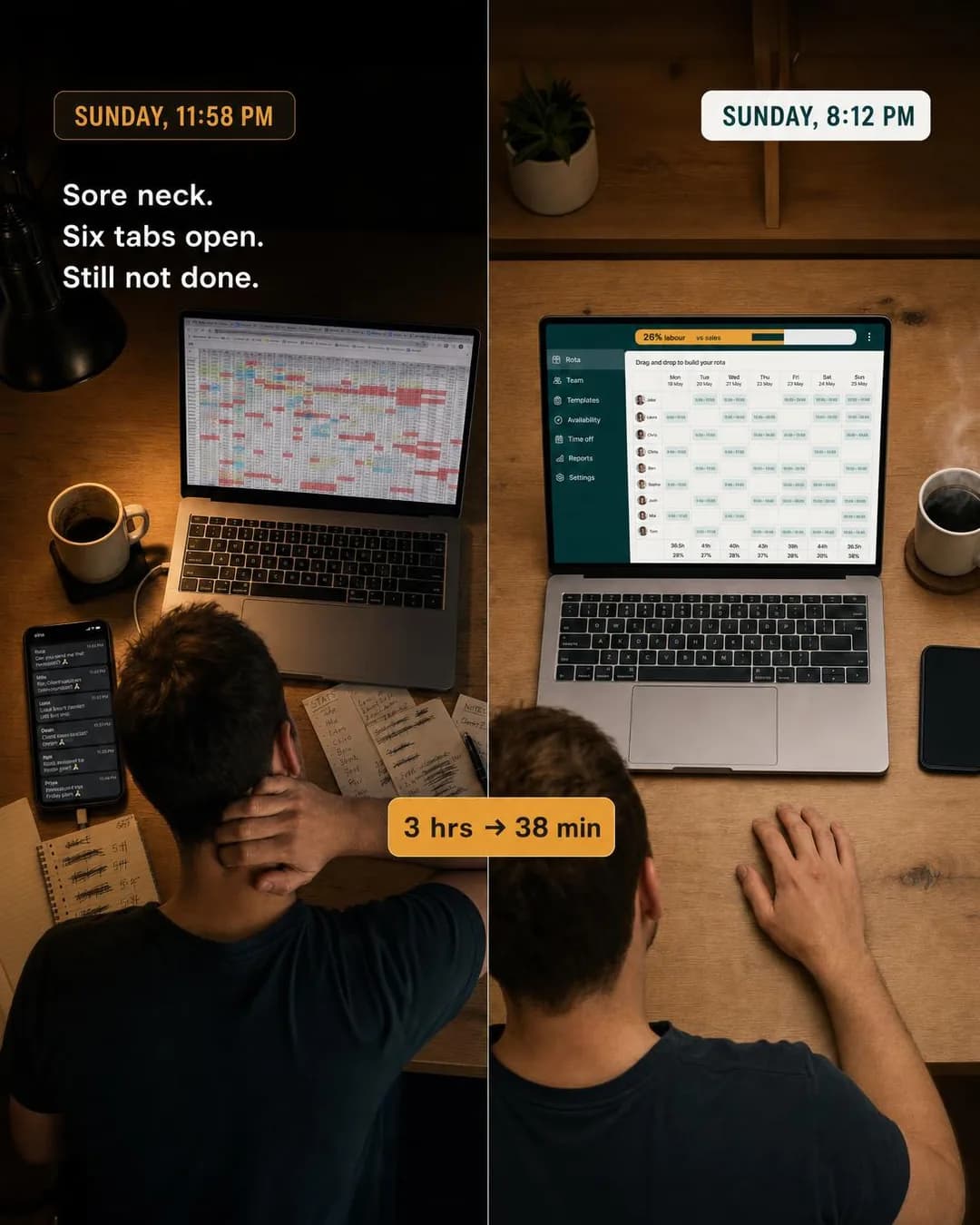
Problem & Pain · 4:5 · Traffic
3 hours to 38 minutes. Same rota.
Written for: Independent restaurant GMs.
How this one was made →
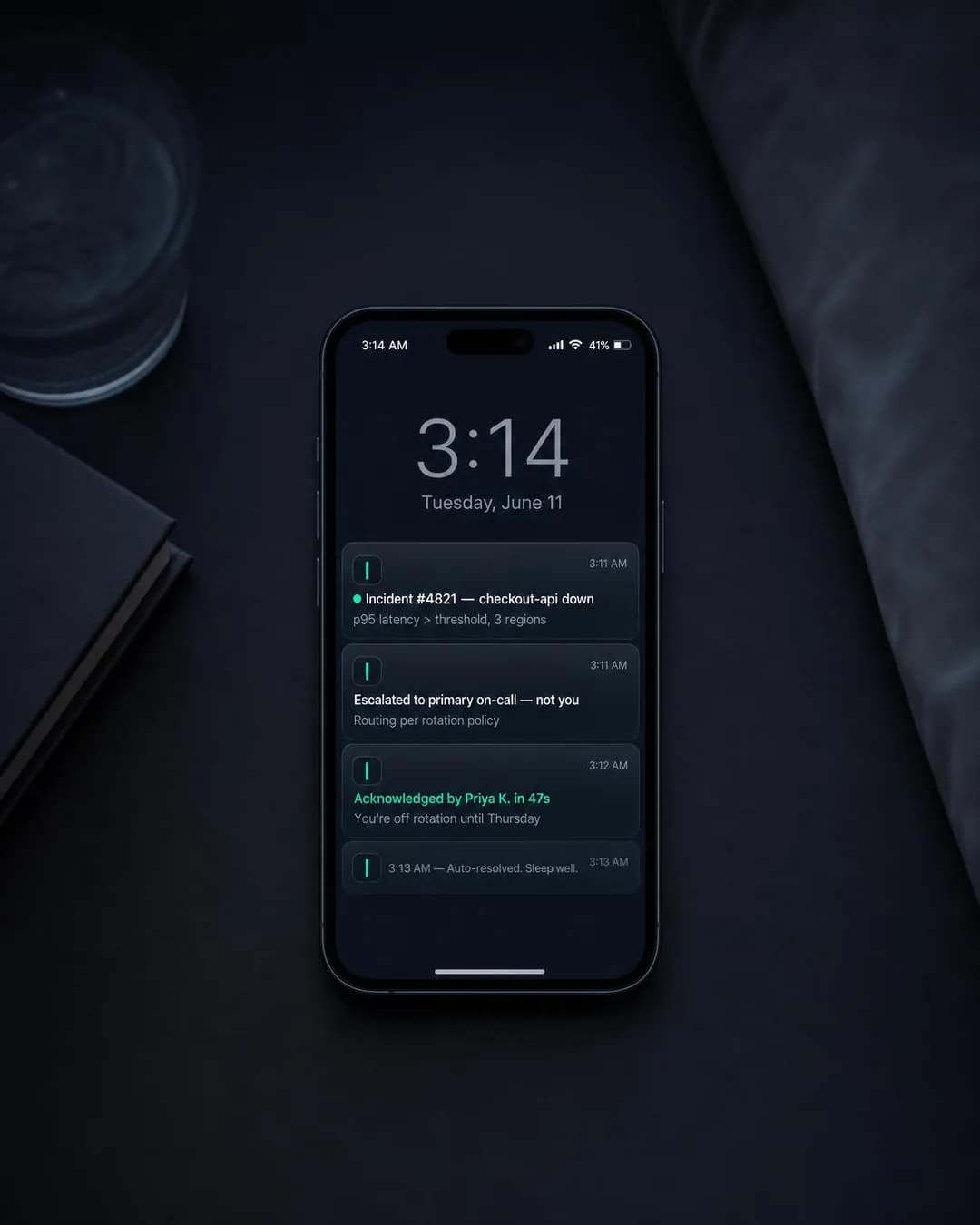
Identity & Emotion · 4:5 · Sales
Off rotation? Stay off rotation.
Written for: On-call backend engineers.
How this one was made →
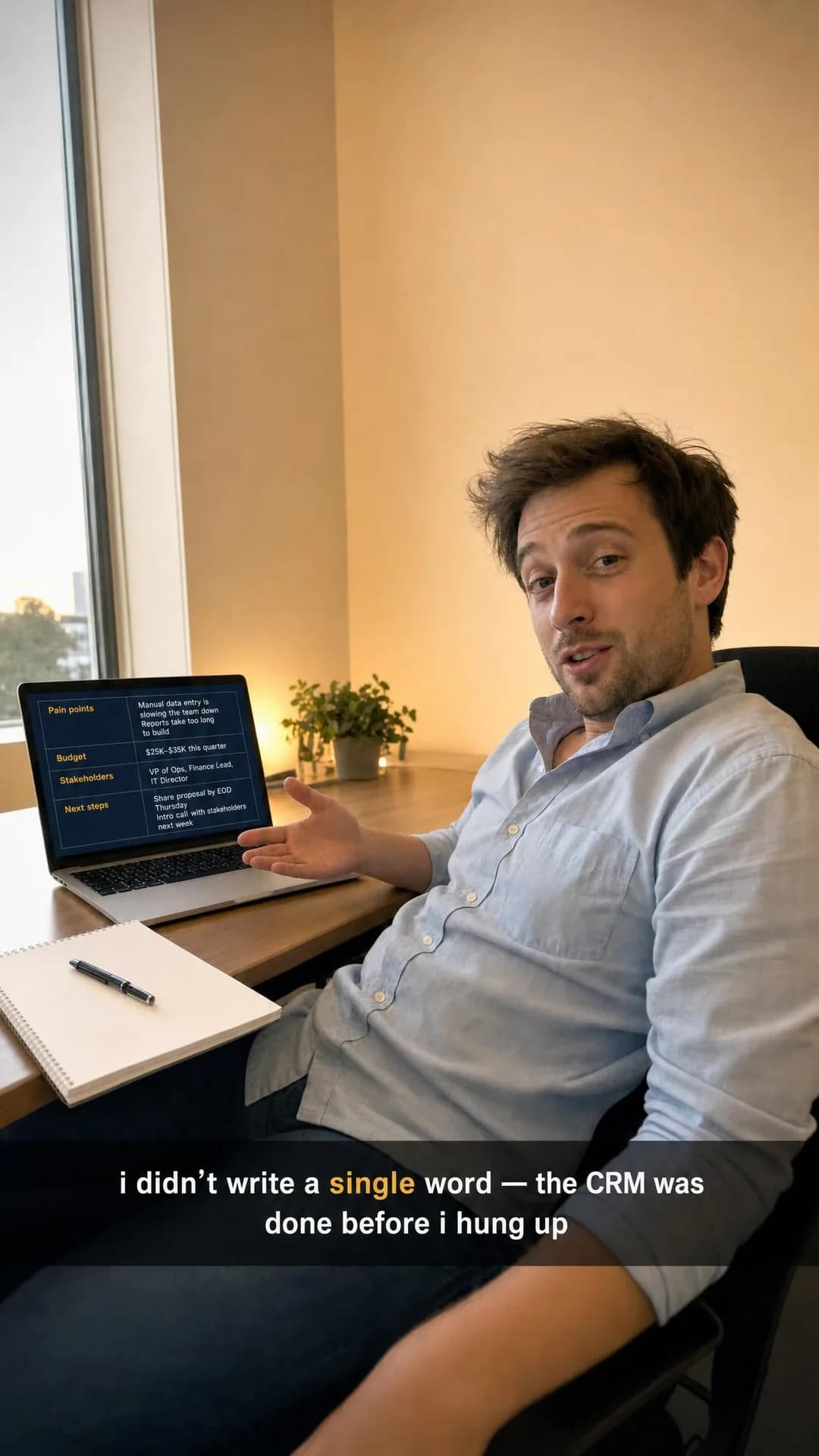
Benefit & Outcome · 9:16 · Traffic
Your CRM, updated. Your pen, untouched.
Written for: Account executives.
How this one was made →
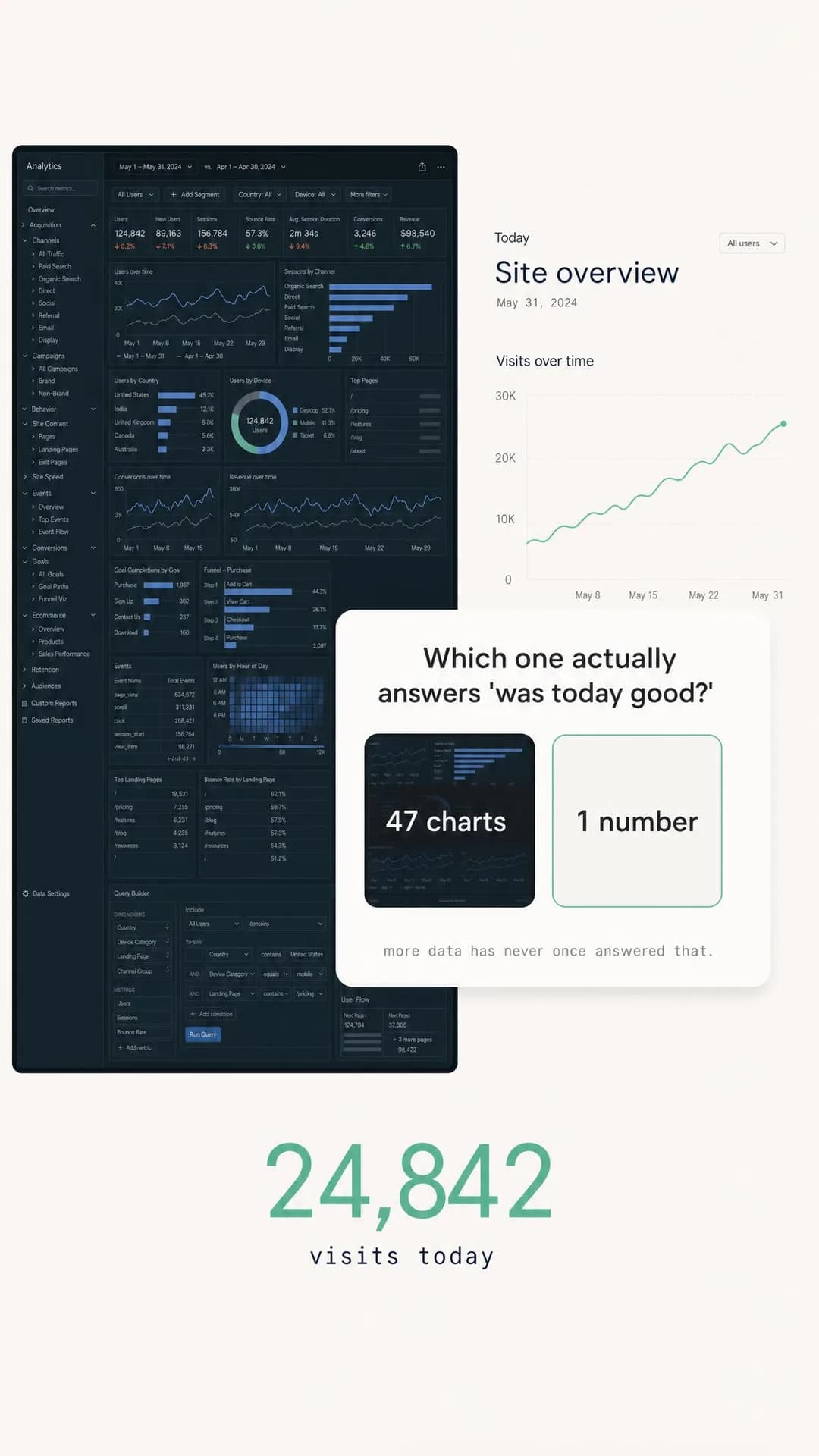
Comparison & Positioning · 9:16 · Traffic
47 charts or one answer — pick one
Written for: Indie founders and small marketing teams.
How this one was made →
The arguments it will propose
Software has one product and many arguments, so what varies is which role, in which recurring moment. Each has a row in the Instagram guide explaining who it is for and which angle wins it.
Every number and every customer in the output is invented until you replace it.
Software advertising runs on evidence — a percentage, a time saving, a named customer with a face — and evidence is precisely the thing a model cannot know about your product. So it makes it up, fluently, and the result is more persuasive than the true version would have been. That is the hazard on this page, and it is worth being blunt about because we published a worked example rather than a warning.
On our SaaS examples page there is an ad for a field-service product carrying a photograph, a name, a shop, a location and two performance figures. Mike Delgado does not exist. Neither does the shop, nor the hour saved per technician, nor the halving of callbacks. That page states plainly that it is the one ad on it you must not run as-is, and the reason generalises to everything this product will write for you: a testimonial works because the reader assumes a real customer is behind it, and that assumption is the whole mechanism. Keep the shape — quote, face, role, scale, two numbers — and fill it with someone who said it and agreed to appear.
The same applies to every unattached metric. “90% accuracy by week two.” “34% fewer stockout-days.” “Four minutes saved per invoice.” These are exactly the right shape of claim — specific, checkable, with a measurement window — which is what makes them worth keeping as templates and dangerous to ship unedited. Treat each one as a blank with the units already filled in, and put your own figure in it. If you do not have the figure, that is useful information about which ad to run.
The second thing to check is not in the copy at all. You choose the optimisation event, and the cheap choice quietly costs the most: optimise for a trial start and Meta will faithfully find people likely to start trials, which is a different population from people likely to pay. Use the shallow event only while your volume is too thin to optimise on a deeper one, and move to a subscription or activation event as soon as it clears roughly fifty a week. Cost per trial will get worse. That is the correct direction.
Questions
- Does it work for B2B software, or only consumer apps?
- B2B, mostly — every example on this page was written for a working role rather than a consumer. What it cannot do is target a job title, because Meta cannot reliably sell you one. It works around that the way the guide recommends: name the role and the moment in the first line, so the right person recognises themselves and everybody else scrolls past for free.
- Will it publish ads to my account on its own?
- No. It publishes into an ad set you choose and every ad lands paused. It never creates campaigns or ad sets, never edits ads you already have, and never spends budget. You pick the objective and the optimisation event, which in software matters more than anything in the creative.
- Will it put a screenshot of my product in the ad?
- Deliberately not, as the hero. A dashboard rendered at 1080 × 1350 and viewed on a phone is an illegible grey rectangle, and a 9:16 story is worse. It renders the situation your product removes and, where the interface genuinely helps, lifts a single number out of it.
- Can I see what it produces for a software company first?
- Yes, and in this category you should. The SaaS Instagram examples page has ten finished ads published exactly as generated, for products we invented — including the fabricated-testimonial one, left up and labelled rather than quietly deleted. Four of them are on this page.
Not ready to generate anything yet?
- Instagram ads for SaaS companies → the playbook: objectives, offers, targeting and the mistakes specific to this trade.
- Facebook ads for SaaS companies → the playbook: objectives, offers, targeting and the mistakes specific to this trade.
- SaaS Instagram ad examples → every ad above and the rest of the batch, each with the audience, angle and objective it was written for.
- SaaS Facebook ad examples → every ad above and the rest of the batch, each with the audience, angle and objective it was written for.
Enter your product website
That is the whole brief. No questionnaire, no uploads, no brand kit to fill in. Free to start, no card — and every ad lands paused, so nothing goes live until you flip it.